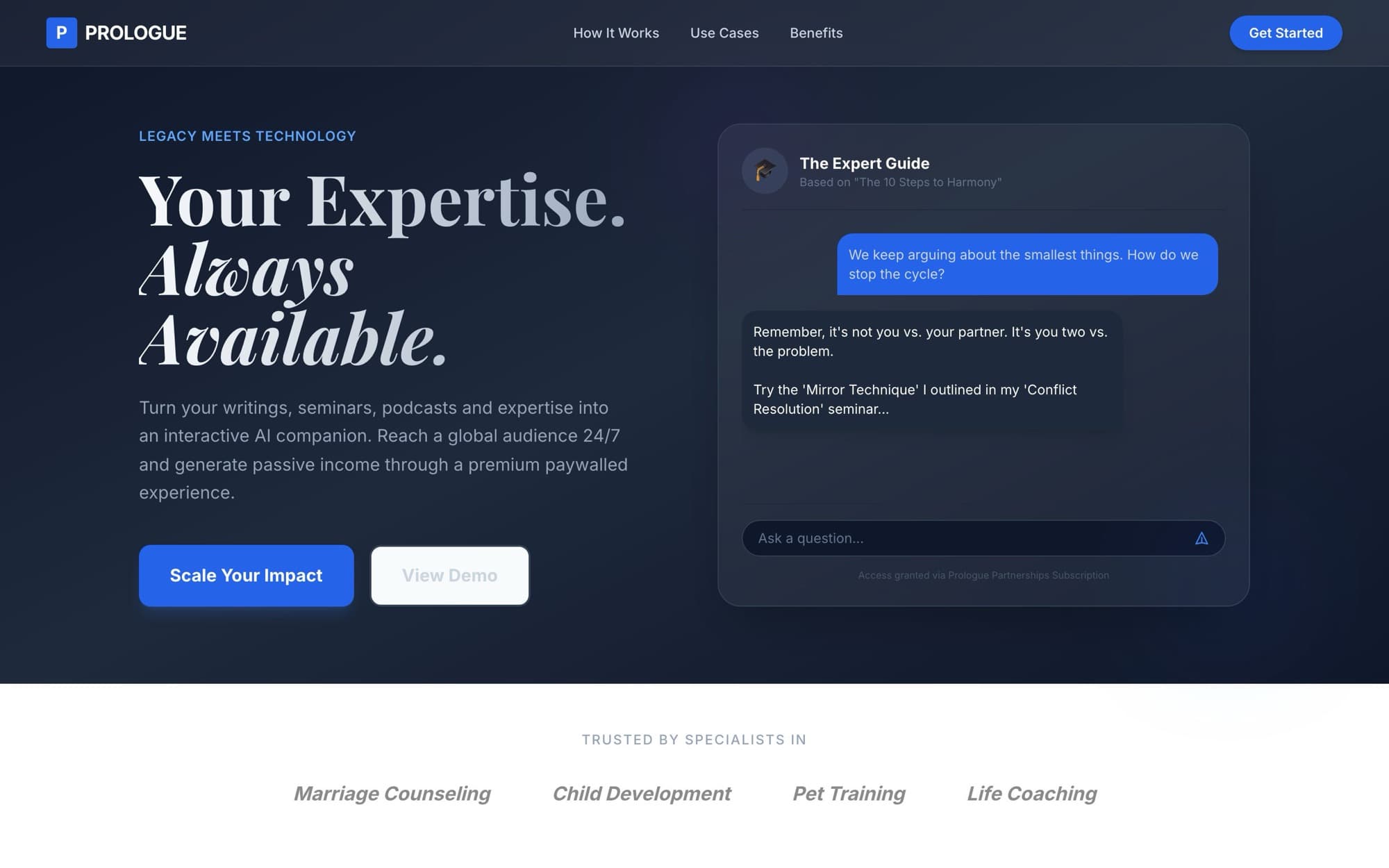
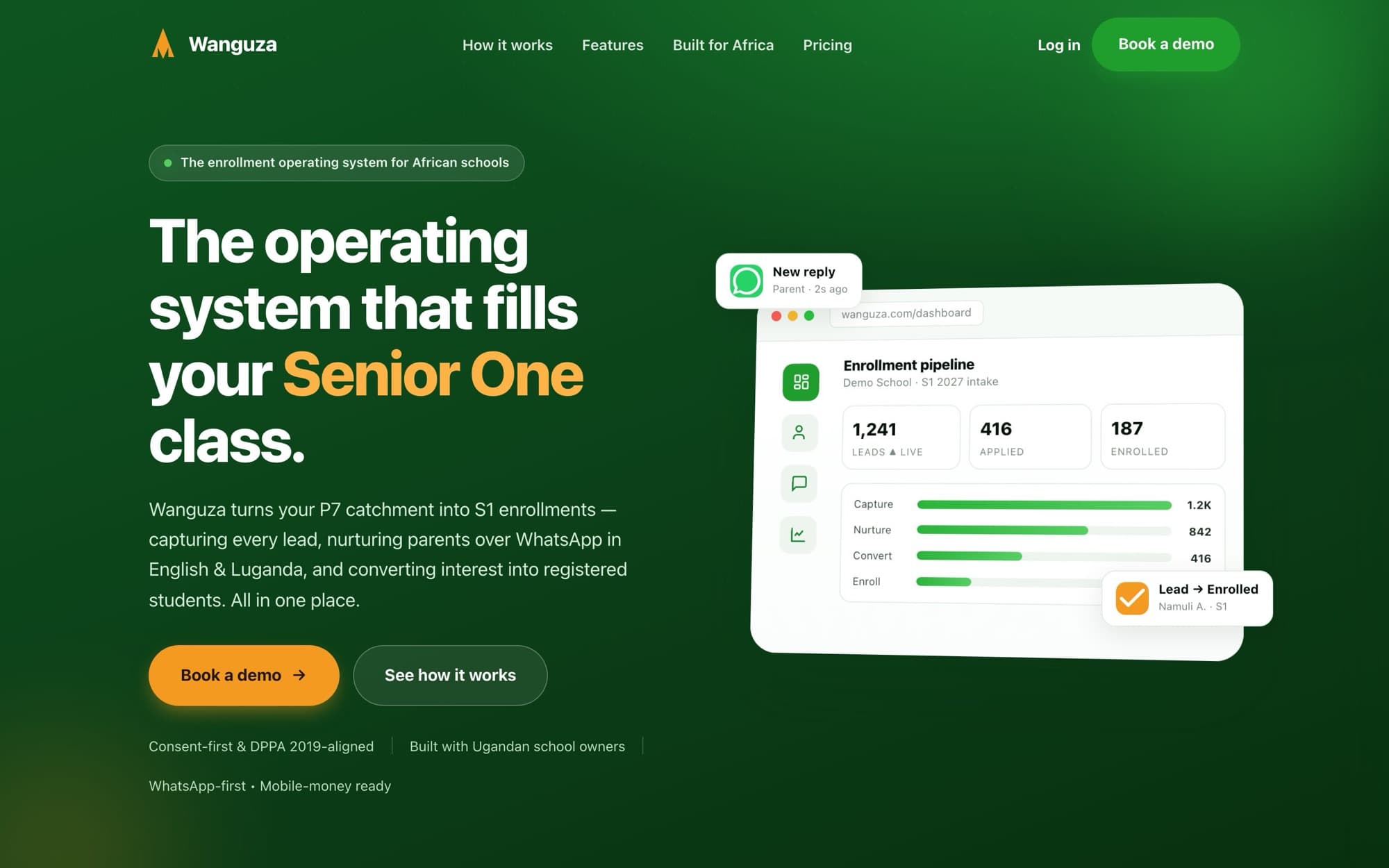
Tools that never talk to each other
Leads in a sheet, replies in LinkedIn, mail in another app, tasks in a chat. Nobody can say where a deal stands without opening four tabs.
Case study · Agency operating system
Aslam HQ is the product I built for myself and use in my own agency. It tracks LinkedIn outreach from the first connection request to a won project, sends email from our own domain, writes and schedules social posts, and keeps clients and staff in one place. Everyone signs in on the same page and sees only the part that is theirs.
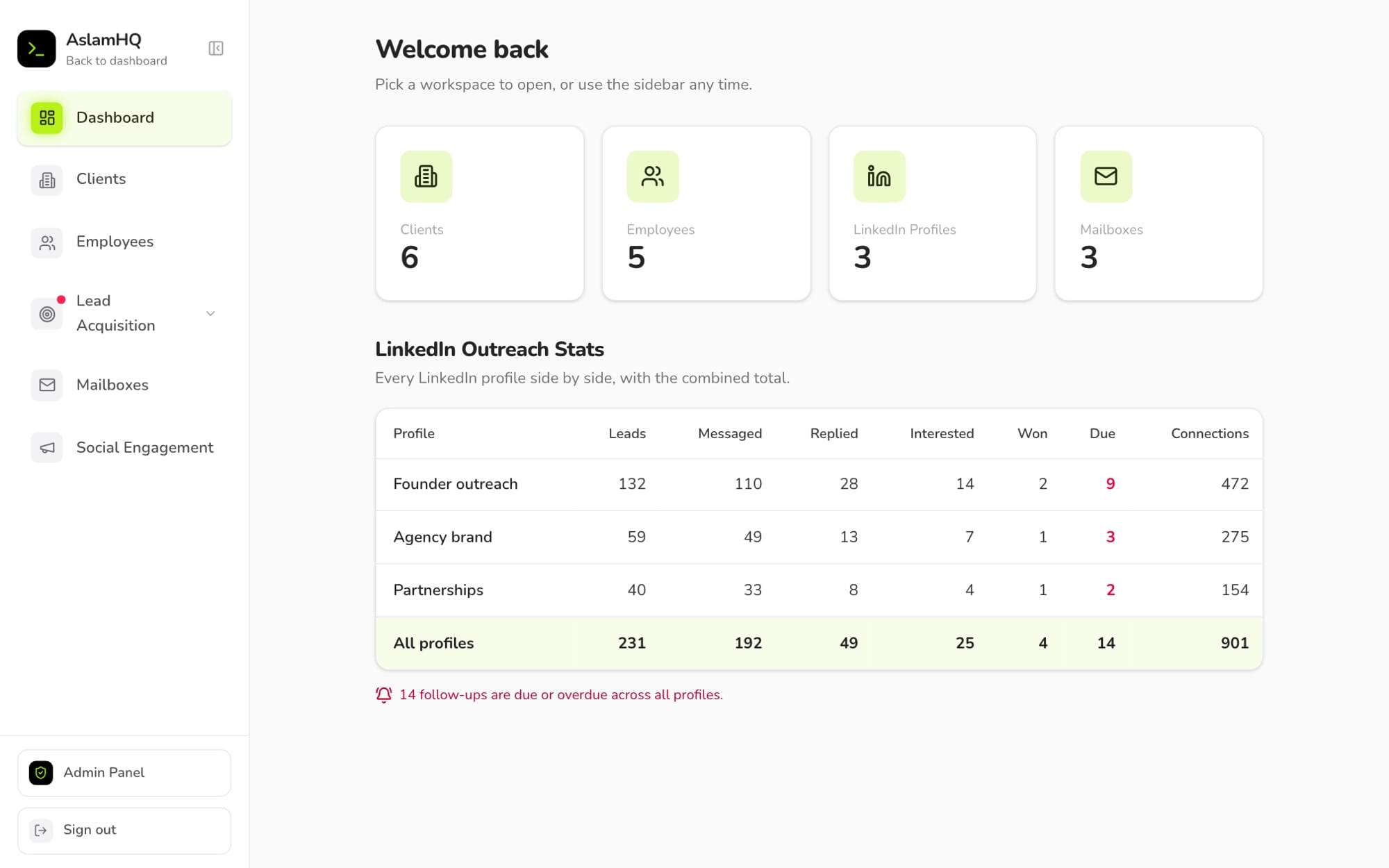
Aslam HQ is private and used inside my agency. Every screen on this page shows invented sample data, not real clients or real LinkedIn numbers.
For everyone
A small agency runs on a lot of loose ends. Leads sit in one tool, LinkedIn replies in another, email in a third, and clients and staff ask for updates in chat. I built Aslam HQ so all of it lives in one place.
For LinkedIn outreach, HQ records every person I contacted, who engaged, who replied and who became a client. It reads my LinkedIn inbox through a Chrome extension, matches conversations back to leads, and shows reply rates for each message template. Follow-ups come up on the day they are due.
Mailboxes send email from our own domain, with a record of every message and its delivery status. Social Engagement writes LinkedIn and X posts with Claude, lets me edit them, and posts or schedules them.
HQ is multi-user. I give clients and employees a login, and their portal shows a client their own project and payments, or an employee their own tasks. Nothing else is visible to them.
Every contact, reply and follow-up in one pipeline, from the first request to a won project.
Email from our own domain, and LinkedIn and X posts that are written, checked and scheduled.
Clients and employees sign in to a portal that shows just their own work.
Every lead sits at one of nine stages. Some moves happen on their own, such as an accepted connection becoming a lead. Replies, interest and wins stay my own call, so the numbers never claim more than I know.
For founders and CEOs
What the agency needed, why HQ looks the way it does, and what has come out of it so far.
Leads in a sheet, replies in LinkedIn, mail in another app, tasks in a chat. Nobody can say where a deal stands without opening four tabs.
Without a record of who was contacted, who engaged and who replied, each campaign starts from zero and nobody learns which message works.
A client wants to see progress and what is owed. An employee wants their tasks. Neither should see the agency's pipeline, or each other's work.
I built Aslam HQ for my own agency first, with small agencies in mind. Off-the-shelf tools each solve one slice, so a small team ends up with five products that do not share data.
So HQ starts from the work, not from a tool. A lead becomes a client, a client gets a work log and payments, a task goes to an employee, and the same login page serves everyone.
Because I use it myself, I see straight away what is slow or confusing and fix it. That is how it grew from a LinkedIn lead log into the system described on this page.
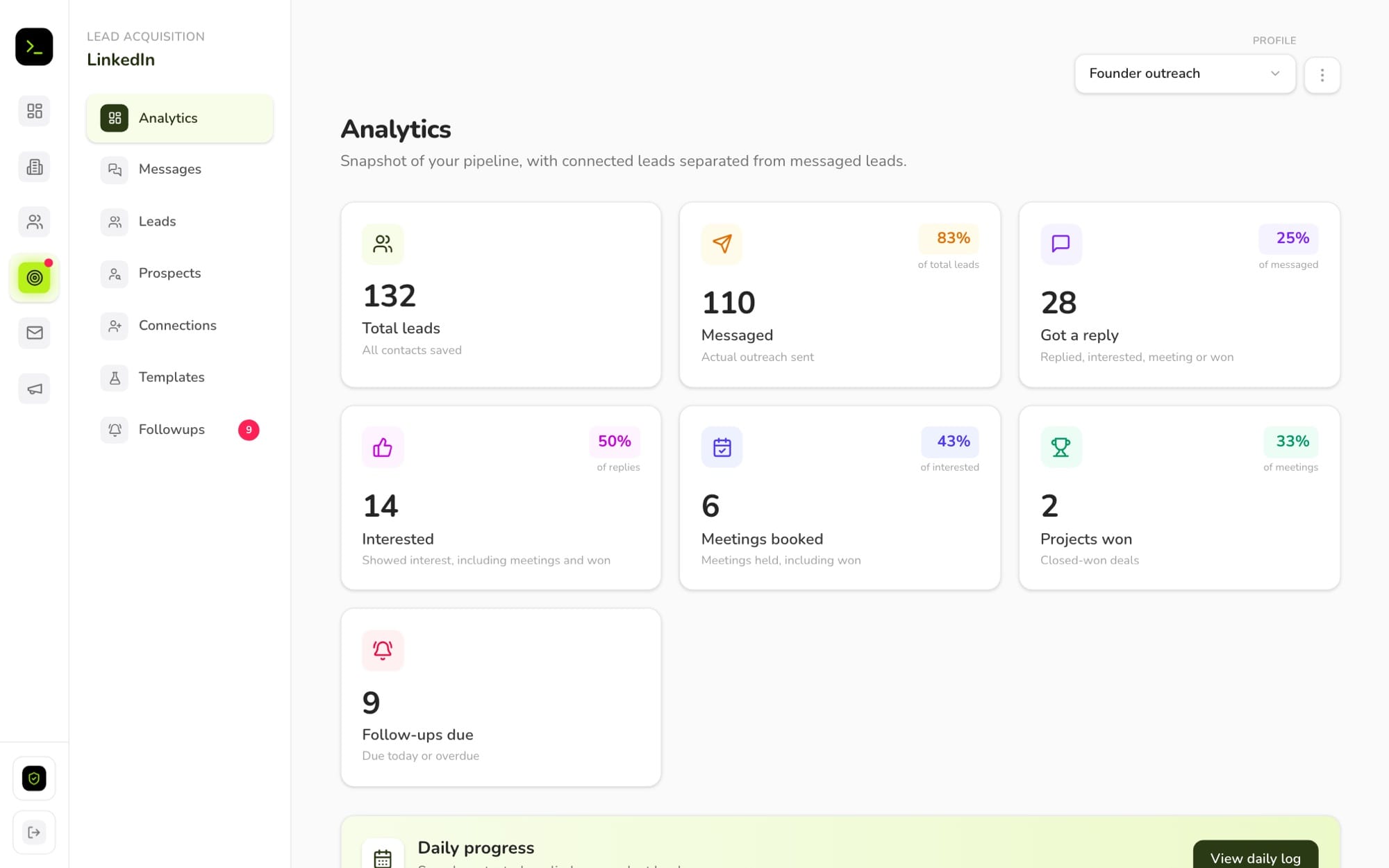
The owner decides, person by person, which LinkedIn profiles, clients, employees and mailboxes a login can reach. A teammate working on outreach never sees client payments. A client sees their own project and nothing else.
That is also what makes HQ usable by other small agencies: the same system serves the owner, the team, the clients and the staff, each with the right window.
Pick a role to see the real screen that person gets. Each tab is the same app, signed in as a different kind of login.
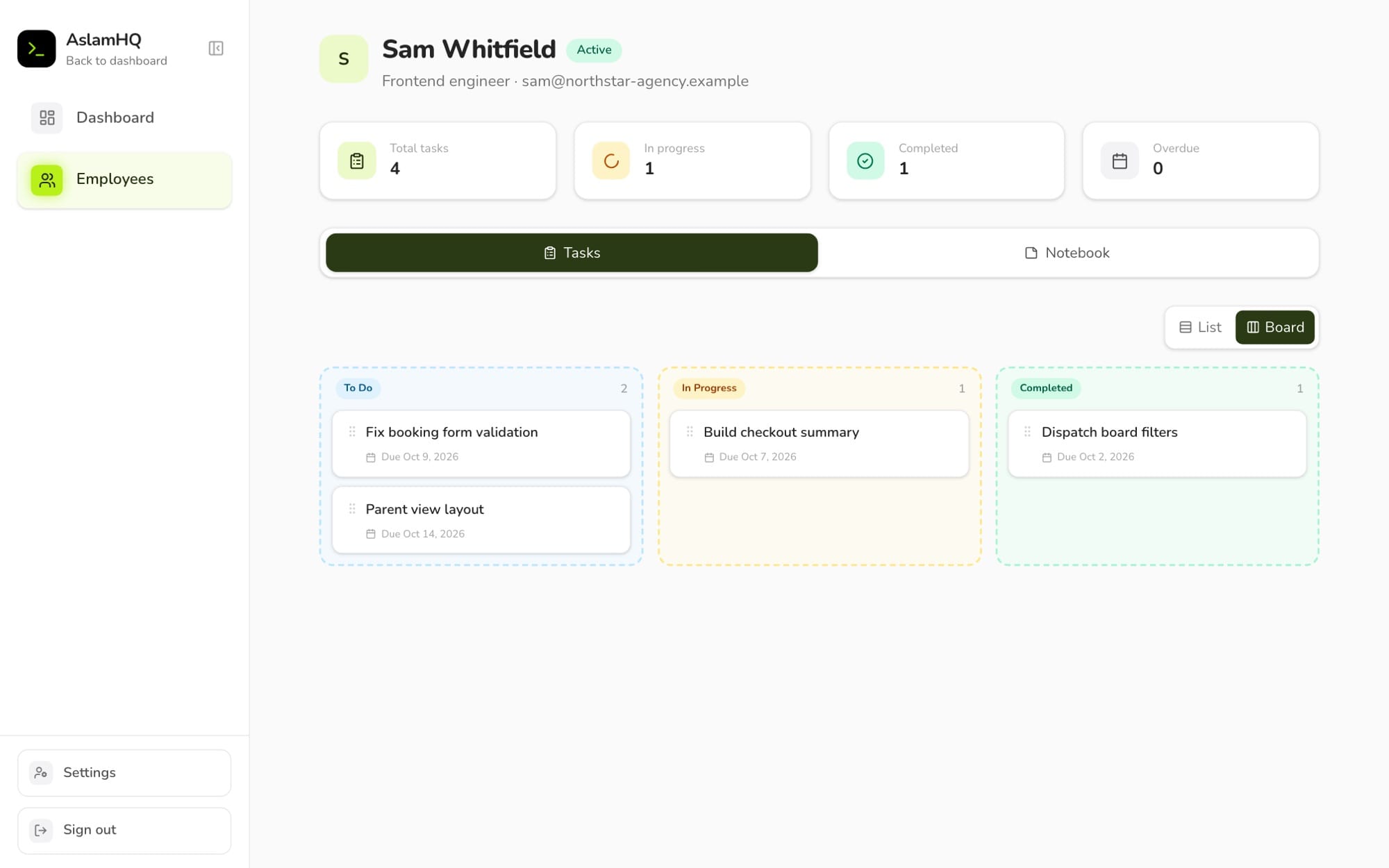
Everything, across every workspace. The owner is also the only one who can create profiles, add logins and open the Admin Panel.
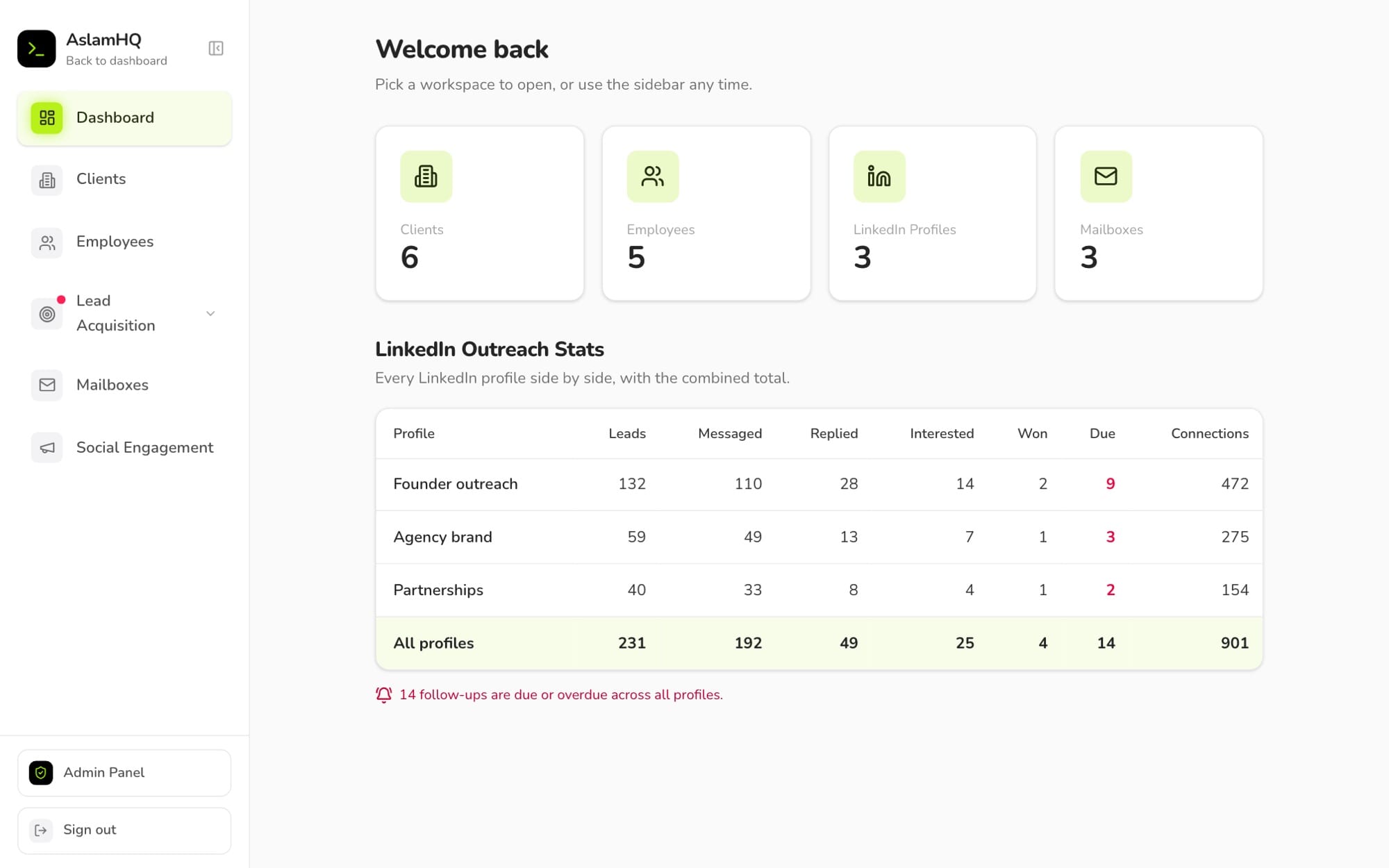
Works inside the LinkedIn profiles and mailboxes they were given, and nothing else. They cannot create or delete a profile, and they never see clients, staff or the Admin Panel.
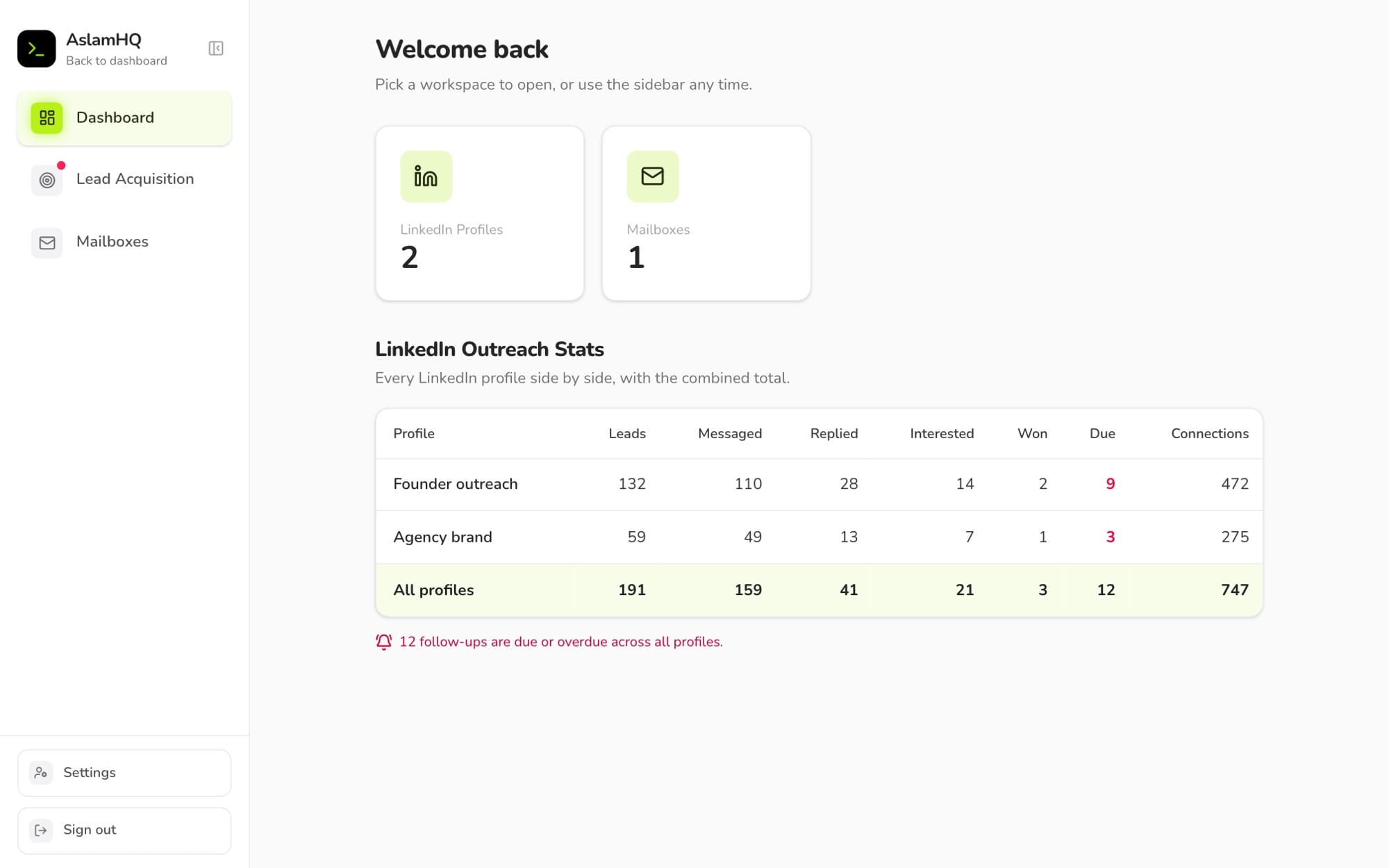
Their own project: what it costs, what has been paid, hours, milestones, meetings and the notes the agency chose to share. They can look, not change.
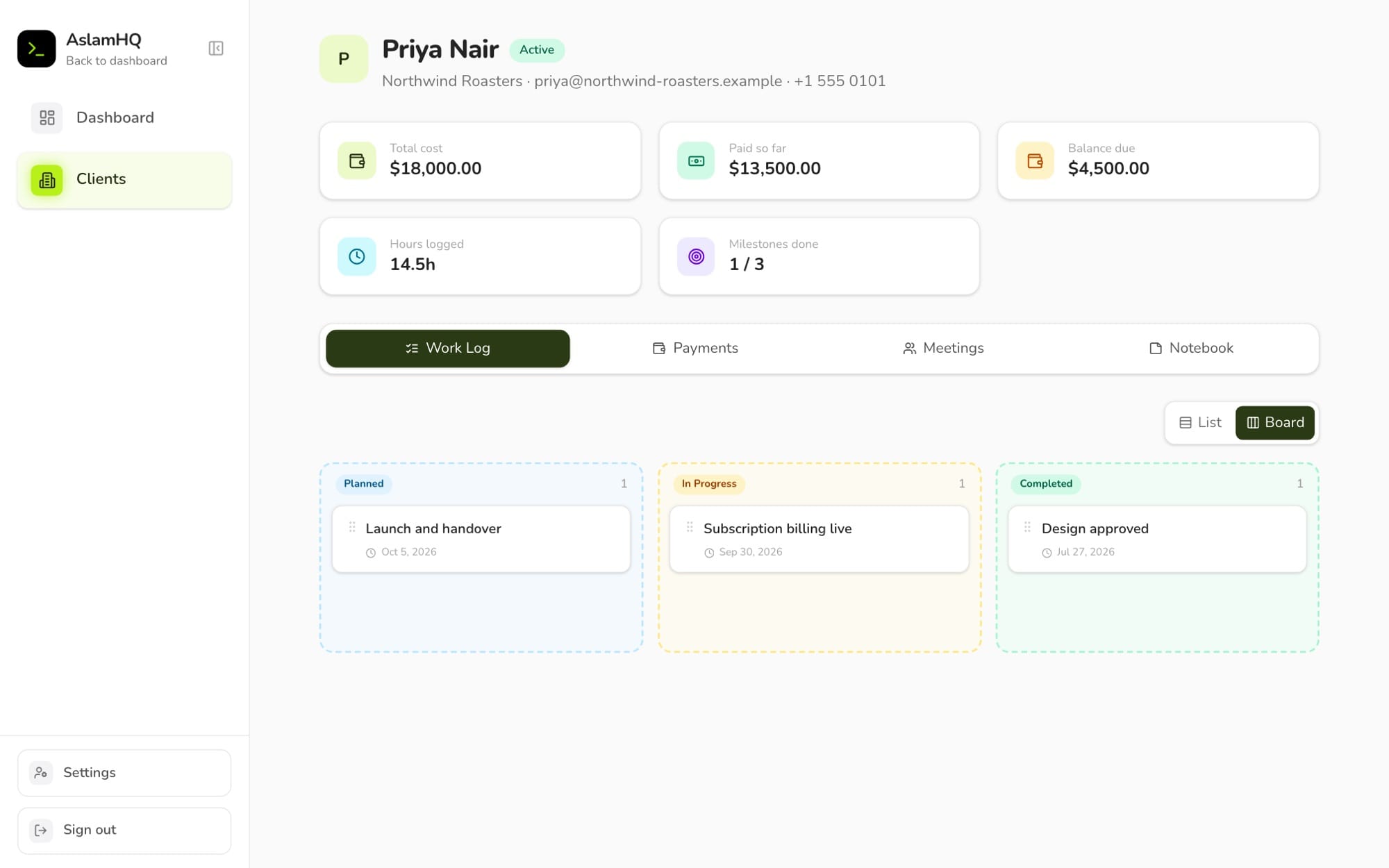
Their own tasks on a board, with the right to move a task from to do to in progress to done. They keep a notebook too, private or shared.
Aslam HQ runs inside my agency today. Outreach, email, posts, client records and employee tasks all live in it, and clients and staff use their own portals.
It has also changed how I work: I can see which message got replies and which follow-ups are due, and clients can check progress and payments themselves.
Aslam HQ is my own project. I designed it around how my agency works, built it, and use it with my team and my clients.
I decide what gets built next, which is why it keeps growing.
From a single-purpose LinkedIn lead log to an operating system for an agency, in about fourteen weeks. The dates come from the project's own history.
The first version: save LinkedIn leads with an extension, catch duplicates, and count daily, weekly and monthly connection requests.
Social engaged and Interested stages, inline status editing and bulk actions on many leads at once.
A separate workspace for each LinkedIn profile, team logins, and one place where the owner manages who can reach what.
Clients and employees with their own portals, prospect lists, and the LinkedIn inbox read into HQ and matched back onto leads.
Access moved from one big switch to a grant for each section, so a client sees their project and an employee sees their tasks.
Email from our own domain with a daily sending limit, and a gap closed that would have let someone make themselves an owner.
Choose the Claude model for each profile, summarise a contact's company, and see what every call cost.
Write, draw and schedule LinkedIn and X posts, for the owner only.
For engineers and technical leads
A Next.js app that talks to the database as the signed-in person, a thin server for the jobs that need a secret key, and rules inside the database that decide who sees which row.
Everyone signs in on one page. Supabase Auth issues the session, and middleware checks it on every request: a session ends after 3 days, or after an hour with no activity.
The app reads and writes data straight from the browser, as the signed-in person. Row-level security in Postgres decides which rows come back, so the browser only ever receives what that person was granted.
Jobs that need a secret go through Next.js routes: managing logins, sending email, posting to LinkedIn and X, and calling Claude. Each route checks the person and their grant again before it uses the service key.
Two Chrome extensions feed the pipeline. One saves a LinkedIn profile or a Sales Navigator lead in one click, and the other reads the LinkedIn inbox from your own open tab. Both sign in as you and write through the same rules.
Email goes out through Resend from a verified domain, with its record written first. Posts go to LinkedIn and X through their official APIs, now or on a schedule.
The AI features read the conversation through the caller's own session, so Claude only sees what that person is allowed to see, and every call is logged with what it cost.
A client, an employee, a teammate and the owner all use the same app and the same tables. A hidden button is not protection, so the real rules live in the database.
Each person has grant rows: which profiles, which clients, which employees, which mailboxes. A row comes back only if a grant exists for it. Middleware and the routes check again, so a request made by hand gets the same answer: nothing.
Email and social posts are the two things that cannot be undone. A double click, two open tabs or a dropped connection must never send a message or a post twice.
An email is written to the database as a row before it goes to Resend, so a cut-off send still shows up with a Retry. A post is claimed in one atomic step before it is sent, and a network that already took it is never sent to again, so a retry only goes where it failed.
LinkedIn shows the same person under different chats and with different name endings, like a job title or a credential. HQ has to count them once, or every number is wrong.
Each person gets one key from a cleaned-up name, chats with the same key fold into one conversation, and the match back to a lead goes by profile link first, then by name. The plan is shown for review before anything is written, and it never moves a lead out of replied or beyond.
Owning a profile is what makes someone the owner, and the first version let any signed-in login create one. Anyone could have made themselves an owner. Now only an existing owner adds profiles, and the database enforces it, not just the interface.
A session ends after three days, or after an hour of no activity, and it is revoked on the server so a direct call to the database loses access too. A background check never counts as activity, so an open tab cannot keep a session alive by itself.
LinkedIn and X sign-ins sit in a table with no access rule for logged-in people at all, so only the server can read them. They can also be encrypted, and the browser only ever hears yes or no.
The writing rules and business context are one cached block, so later calls read it back at a fraction of the price, and a rewrite sends only the text being changed. Every call is logged with the price on the day, so a later price change never rewrites history.
LinkedIn sign-ins last 60 days and cannot renew, so the page warns a week ahead. X charges more for a post with a link, so the writer is told never to put one in an X post and the composer warns if one slips in.
The whole schema is one SQL file, written in blocks that are each safe to run again on a database that already holds data.
Before a change ships, the whole file runs twice on a scratch database, the second time with realistic rows already in it.
That second run caught a real bug: a check constraint named only some of the kinds of AI record the app writes, so a re-run failed on live data. Every check now lists every value the app writes.
Then the file goes into Supabase's SQL editor and the app is deployed. Upgrading an older install is the same step.
From the internal dashboard
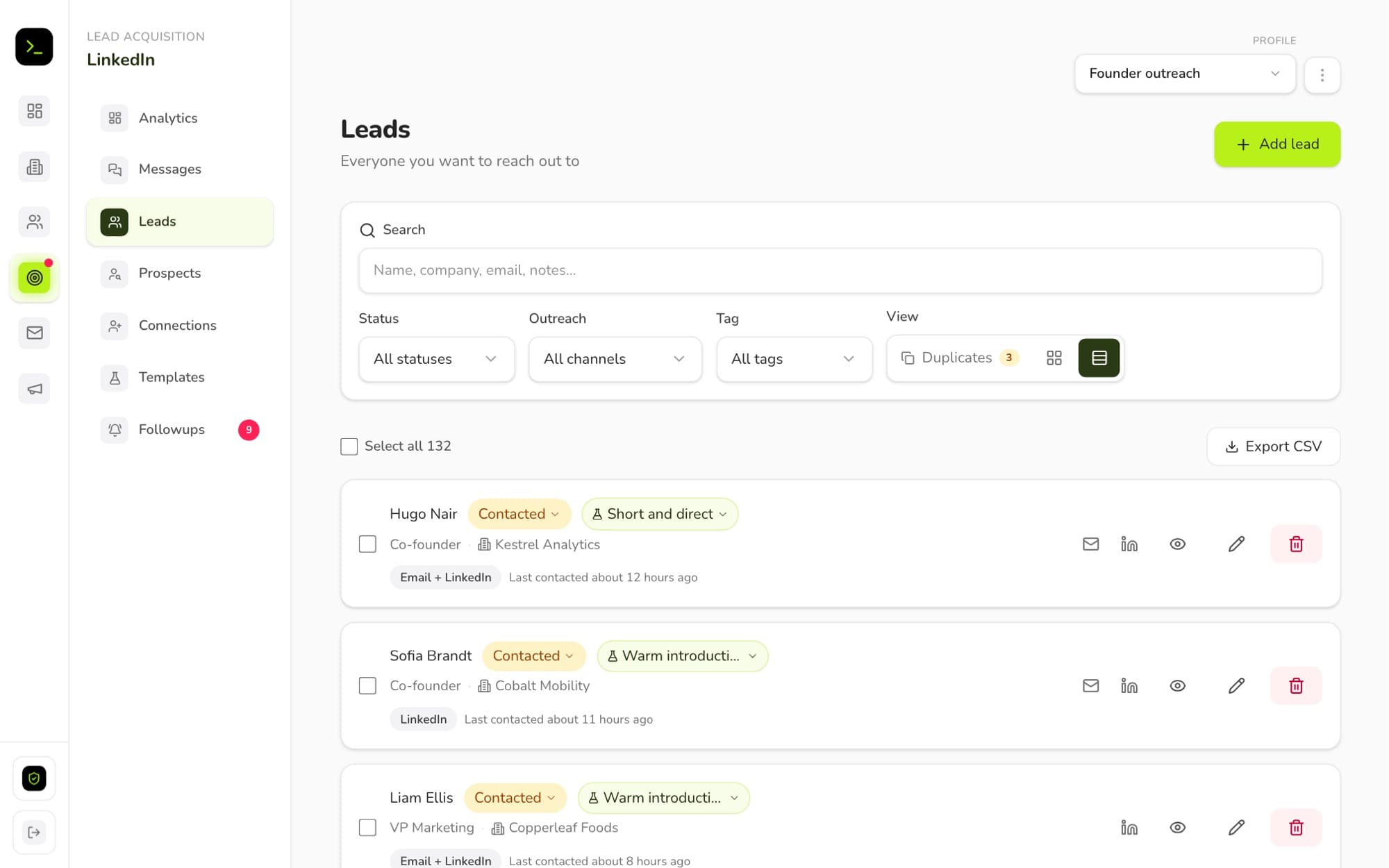
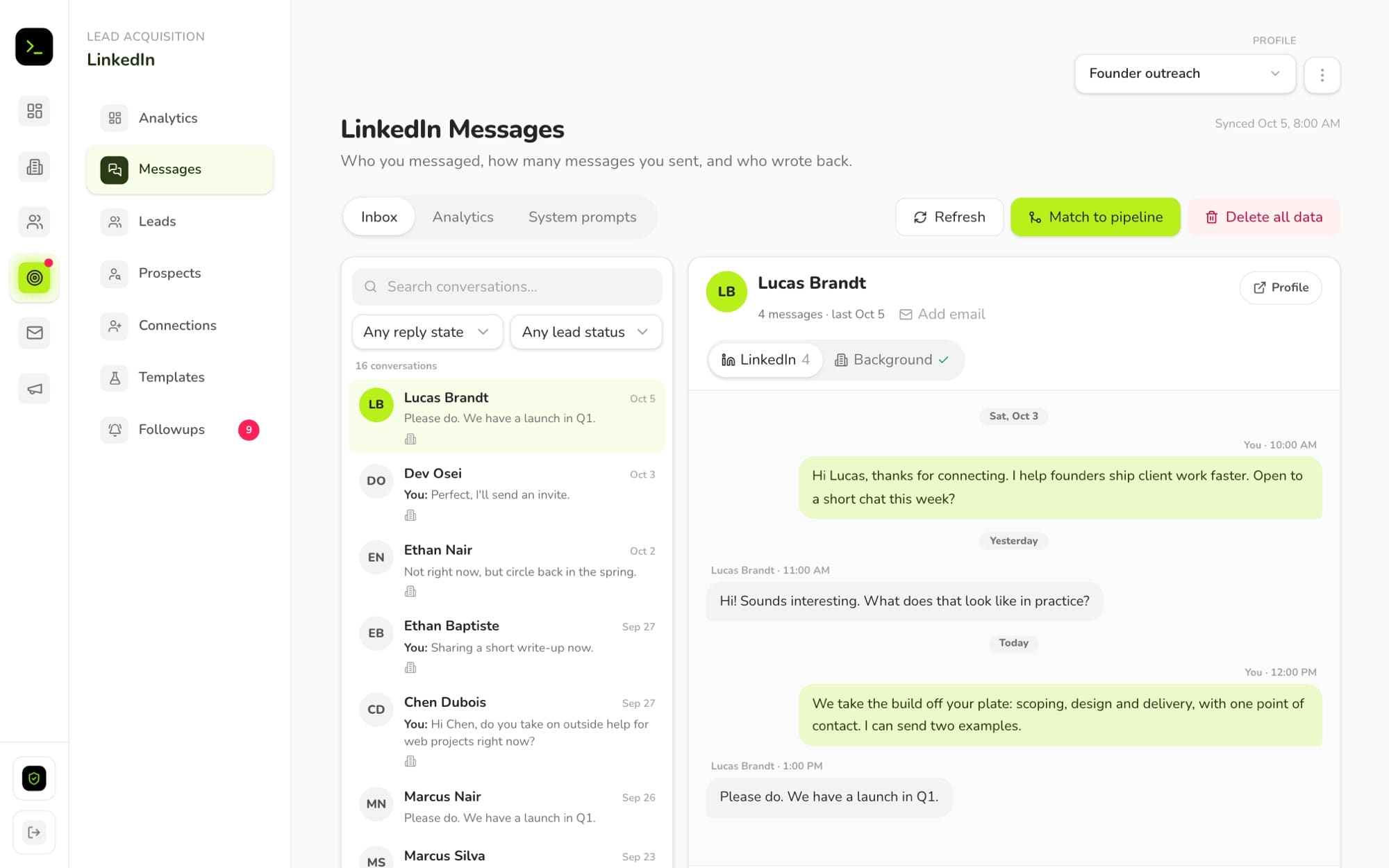
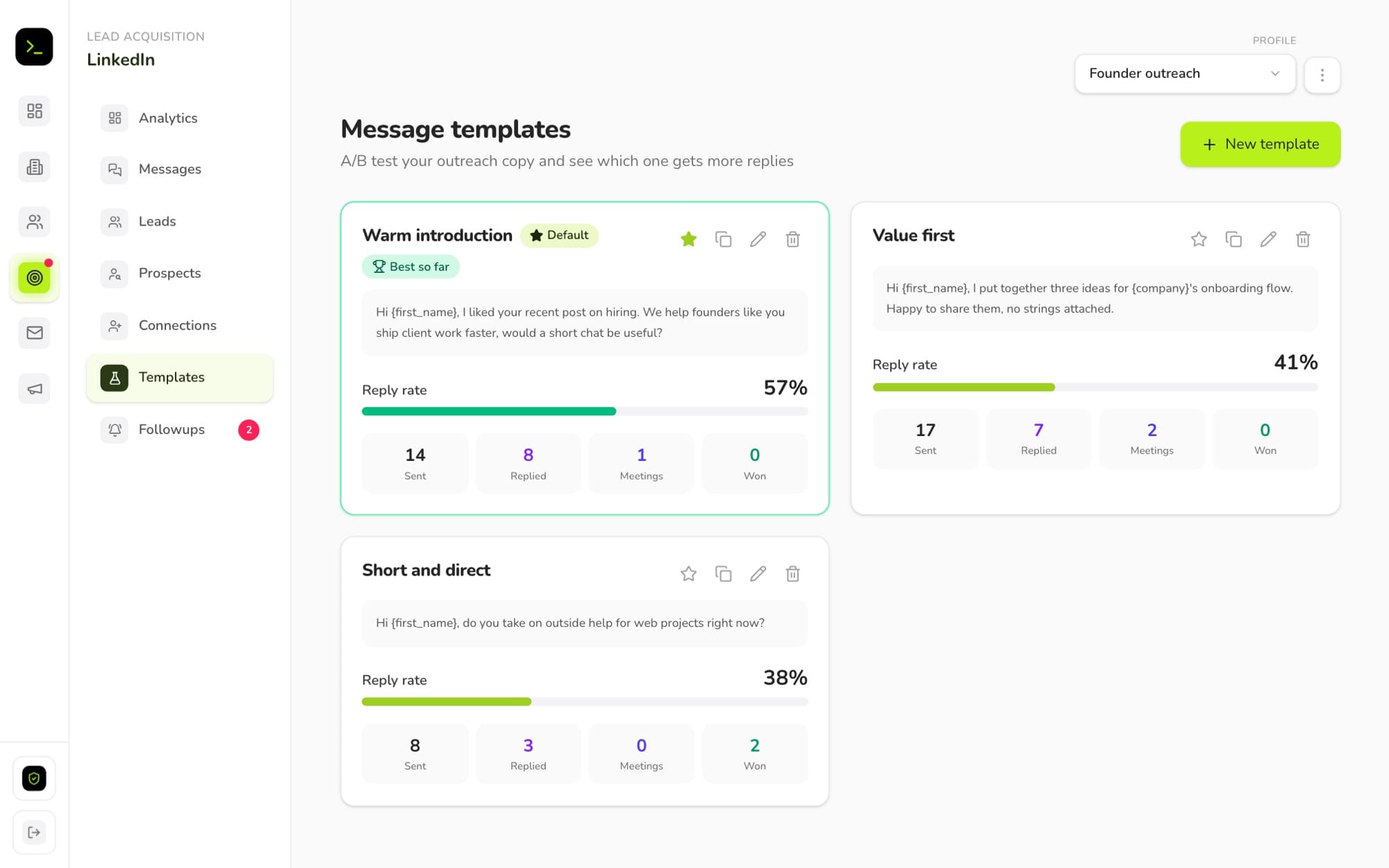
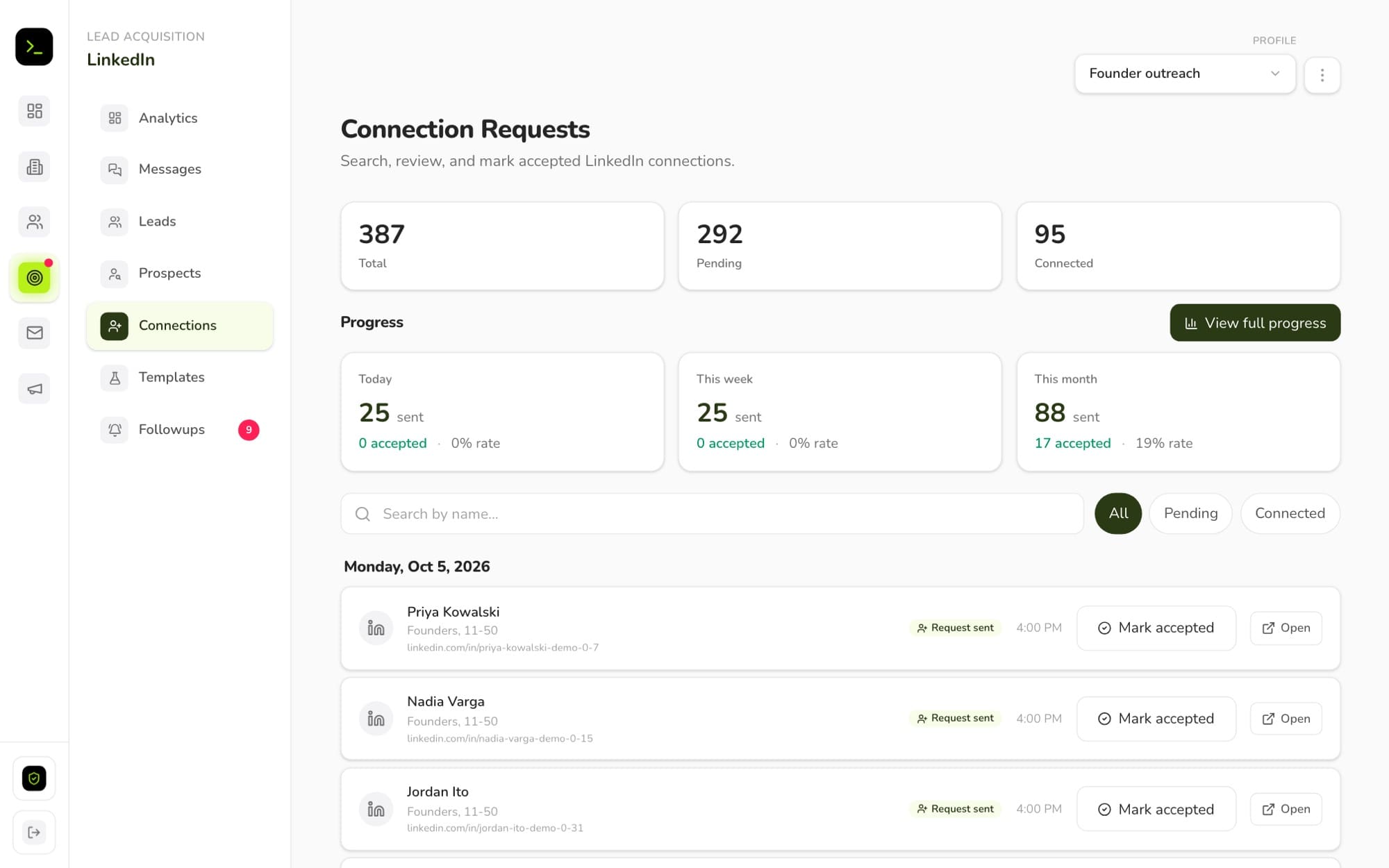
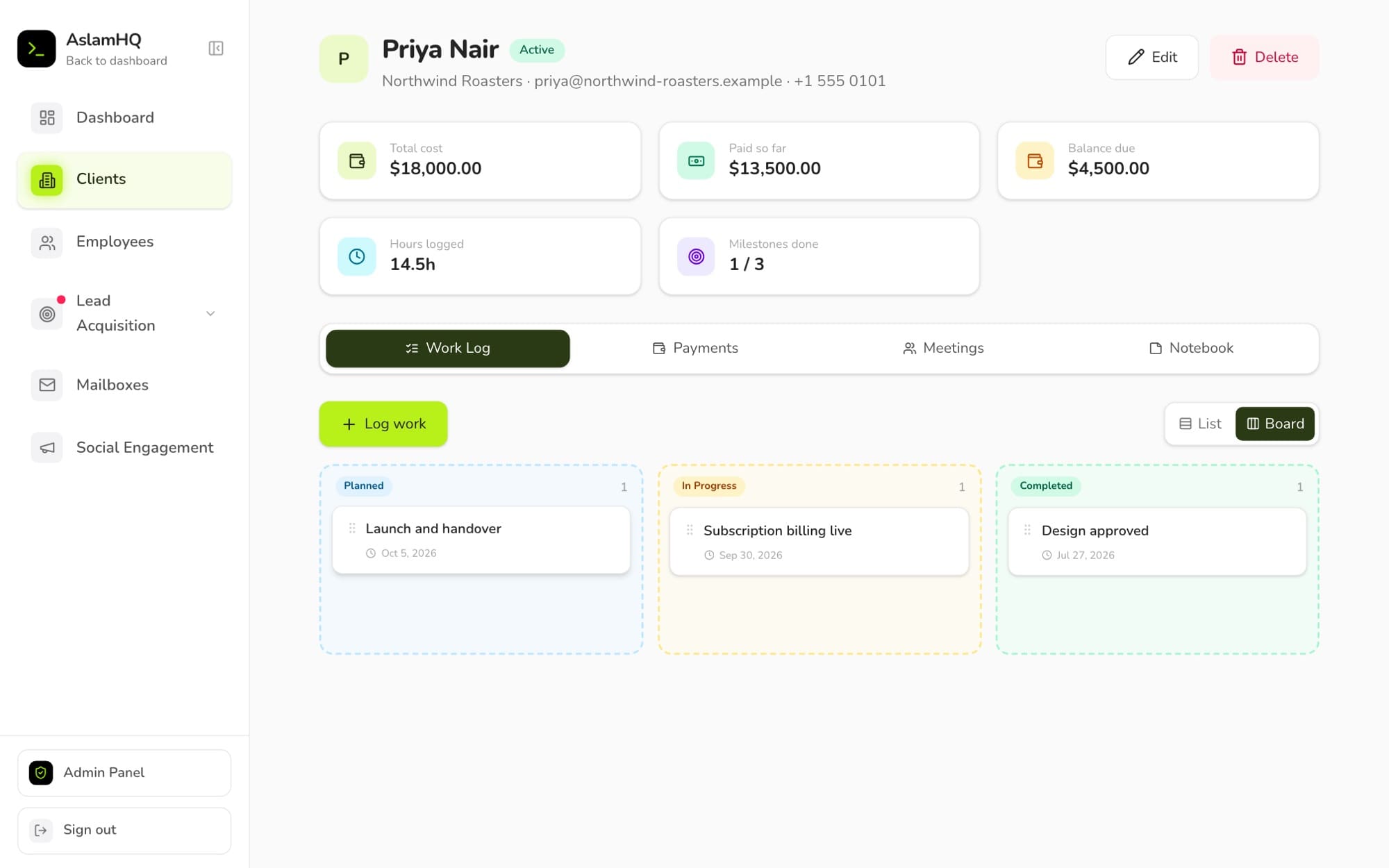
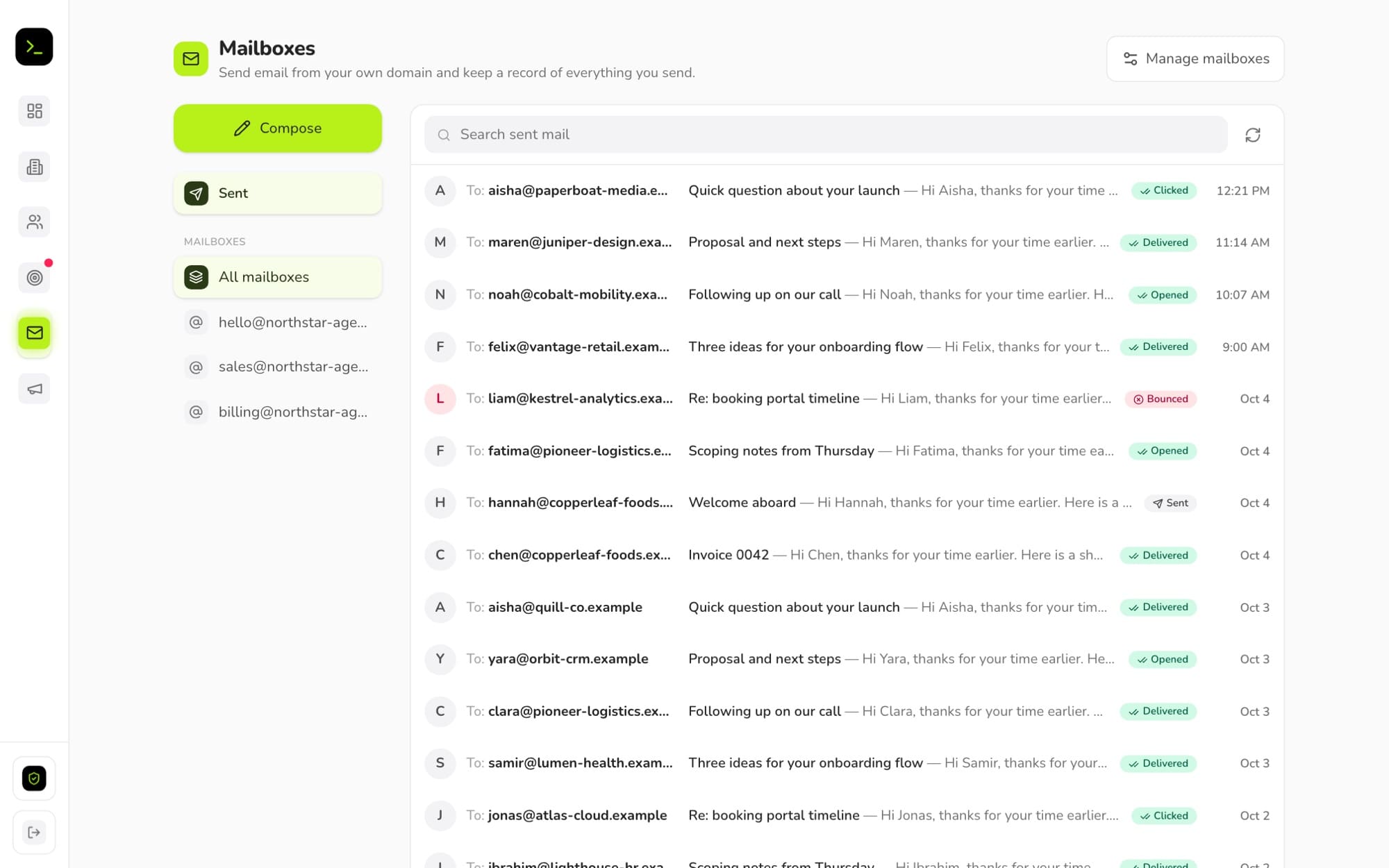
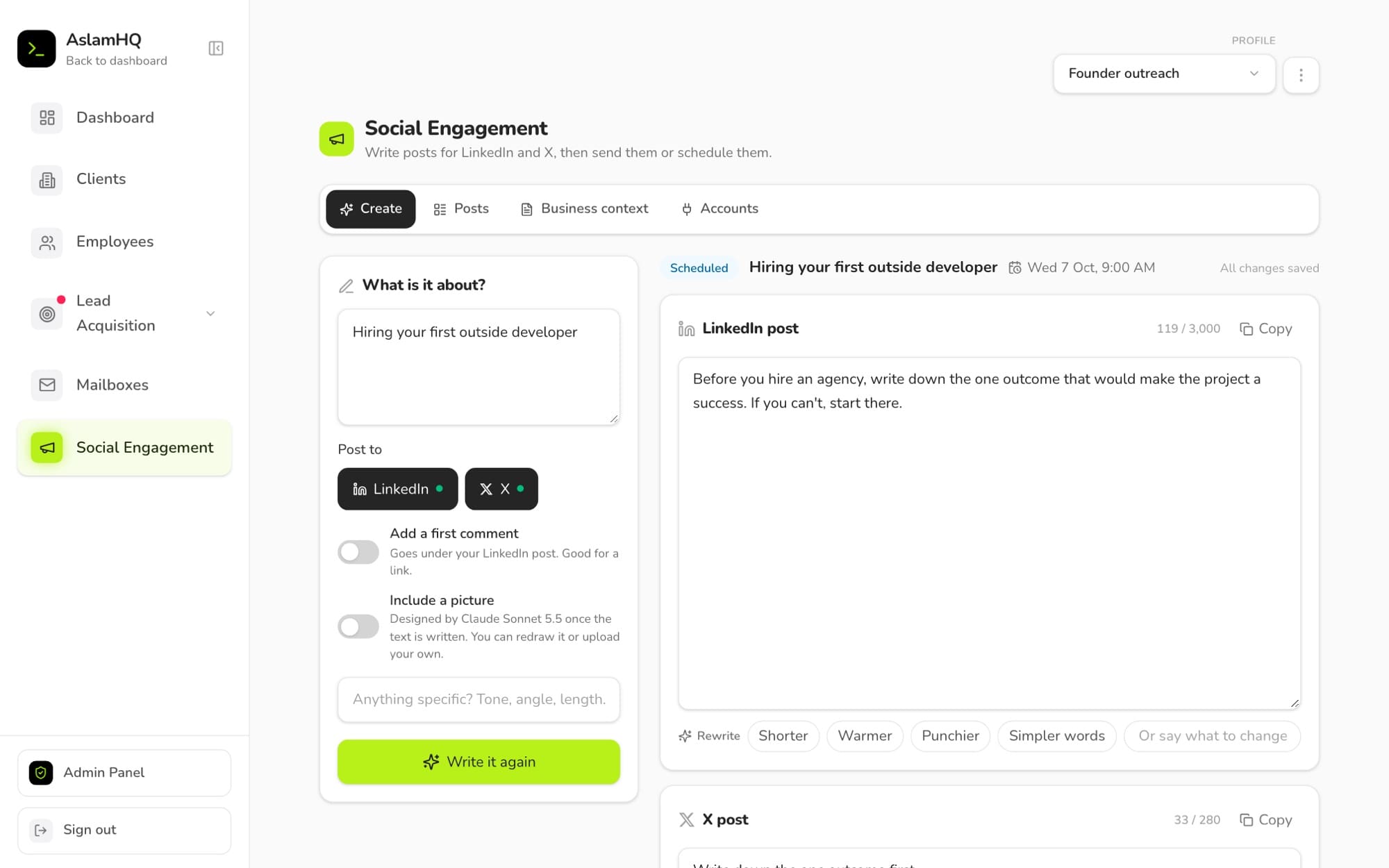
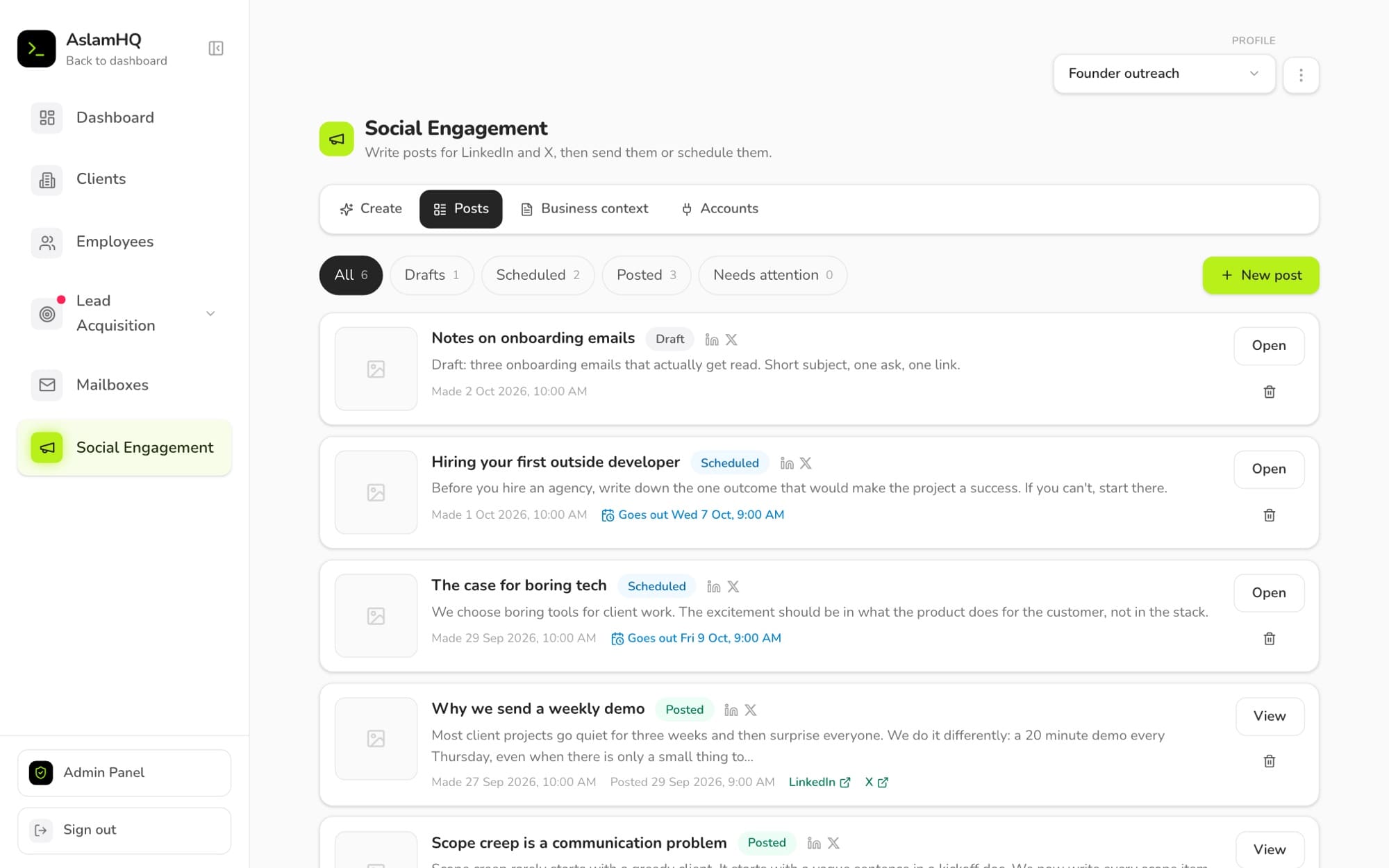
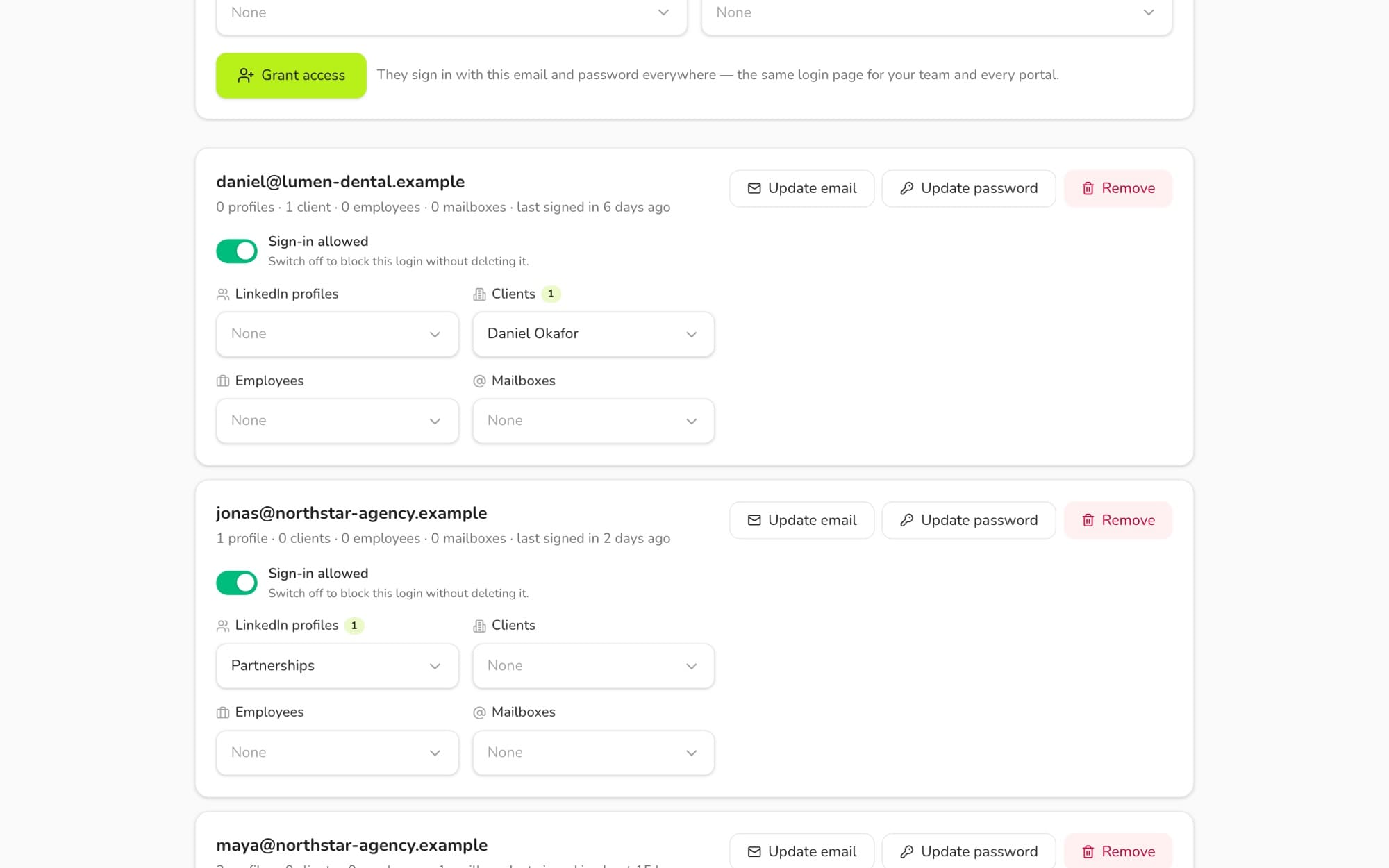
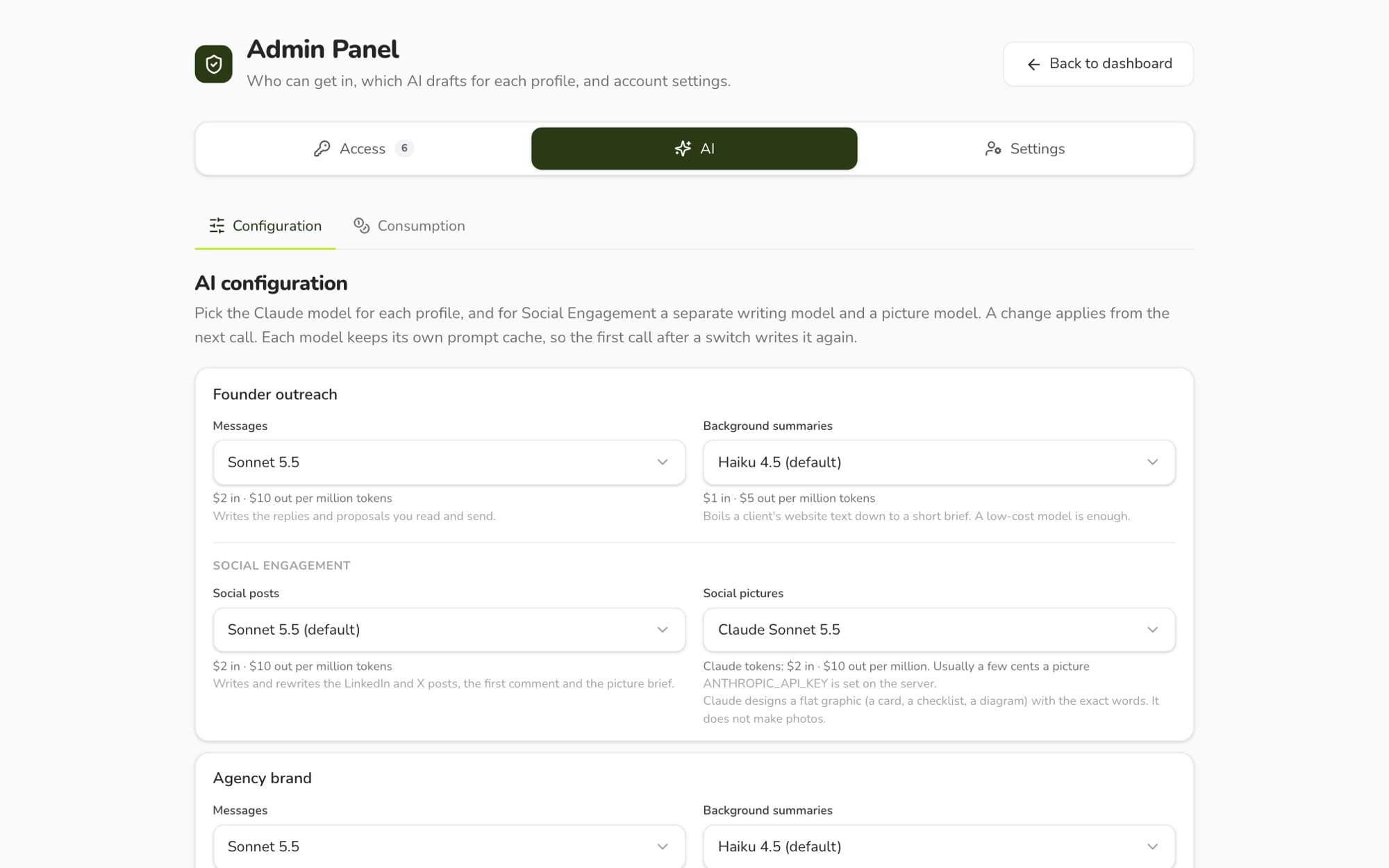
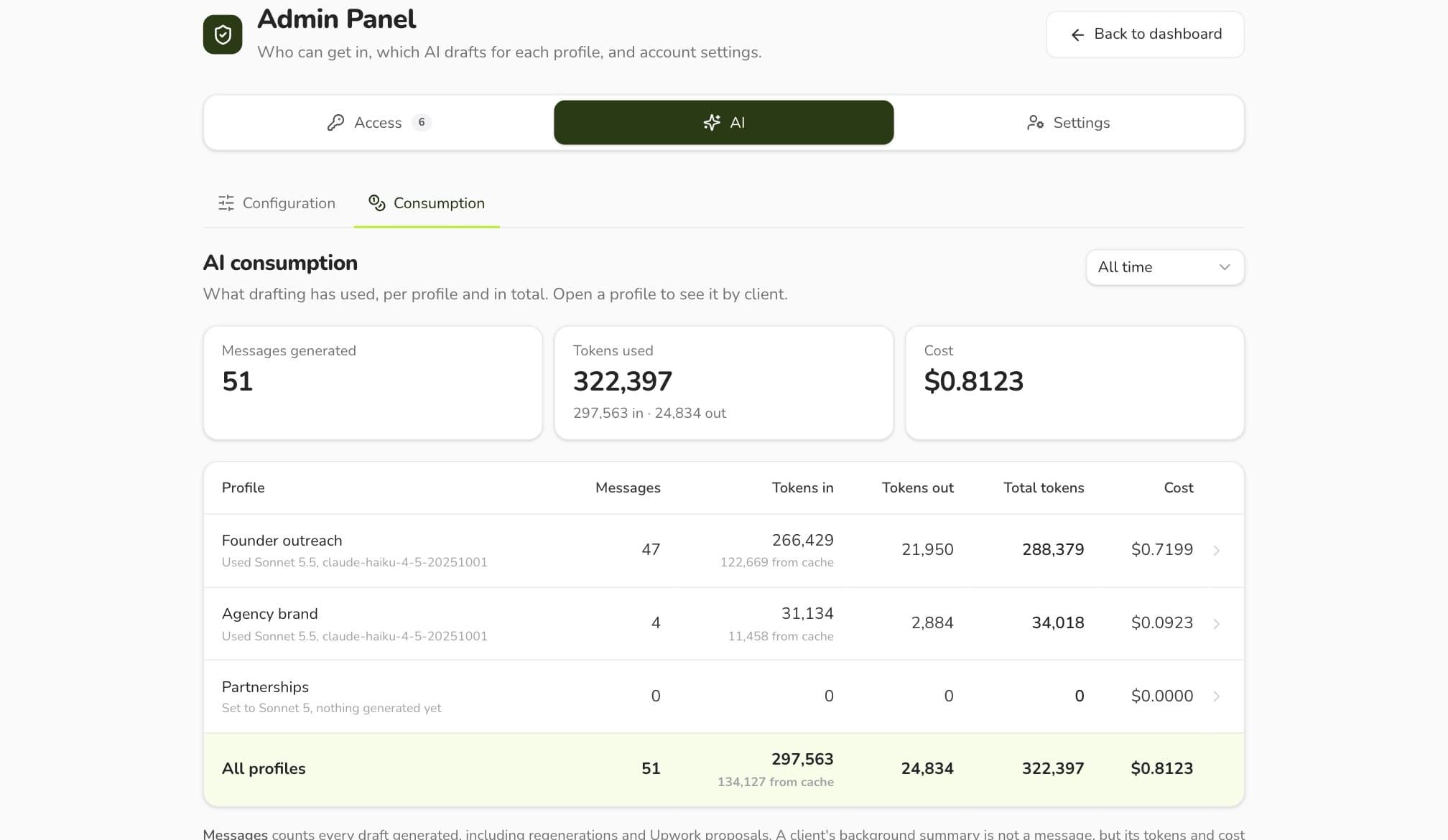
Every screen on this page shows invented sample data: made-up names, companies and numbers. The real dashboard holds real clients and LinkedIn results, and it is private.
Keep reading
Next case study
AI product · Parenting
Oh Crap! Chat answers parents' potty-training questions with Jamie Glowacki's method, any hour. 700+ parents have paid for access.
SaaS · EdTech, Uganda
Wanguza captures every parent enquiry with consent, follows up on WhatsApp in English or Luganda, and shows schools which families are ready to enrol.